How to Create an Email
📧
How to Create an Email
1. Log in to cPanel.
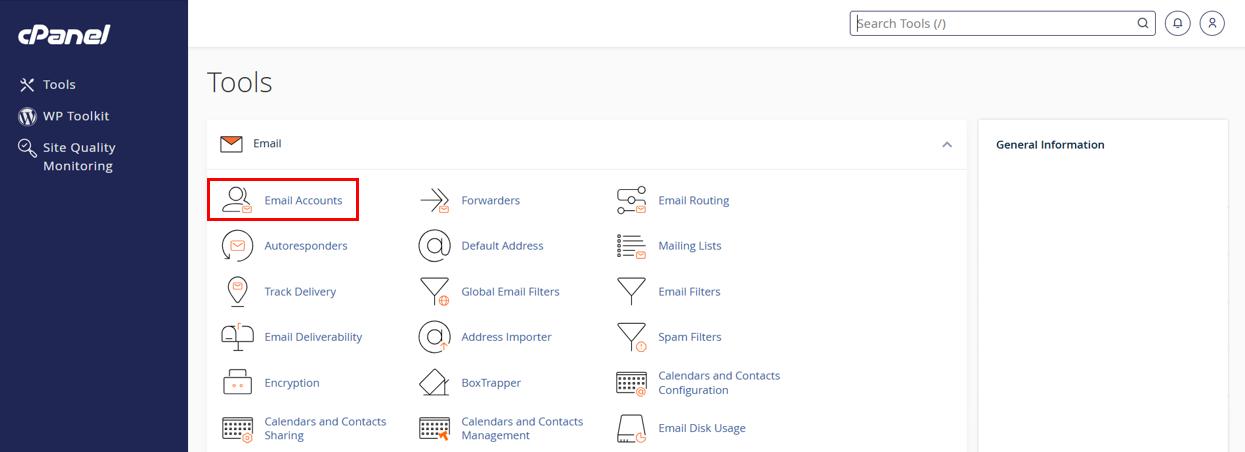
2. Navigate to 'Email Accounts'.
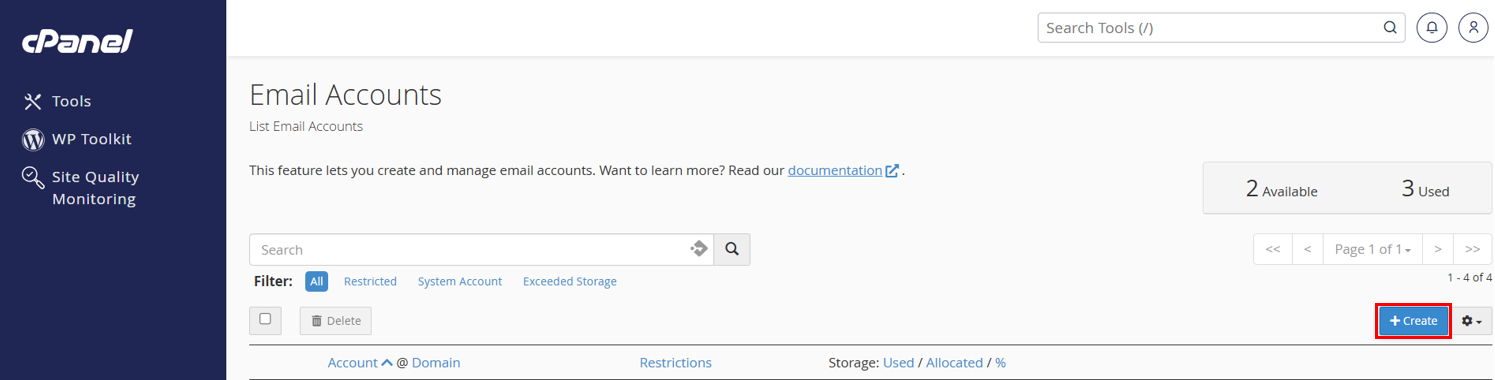
3. Click the '+Create' button located on the right-hand side.
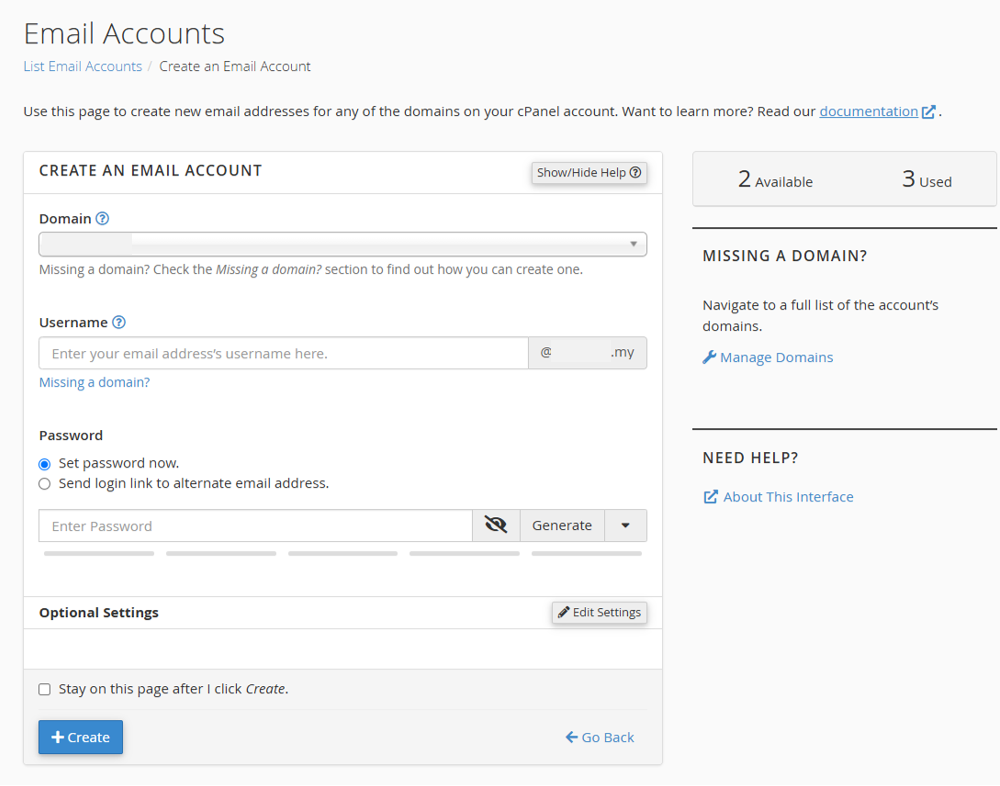
4. Enter the details to create a new Email Account.
5. For the Optional Settings, you can set the email's storage space by clicking the Edit Settings button.
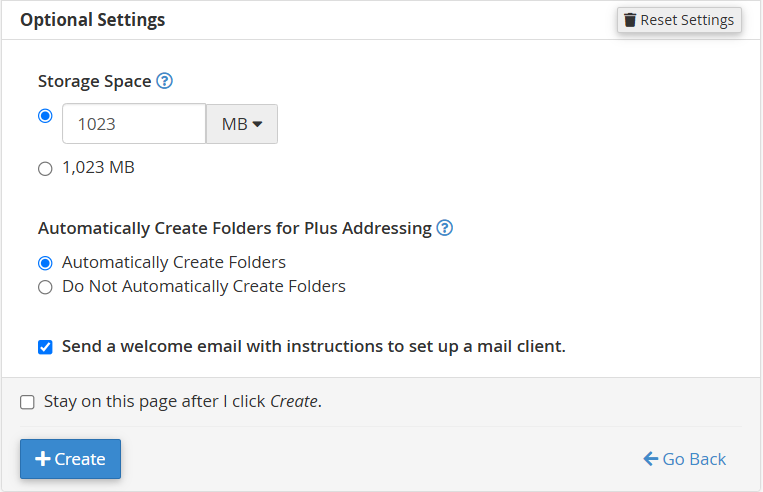
6. Click '+Create' to finalize